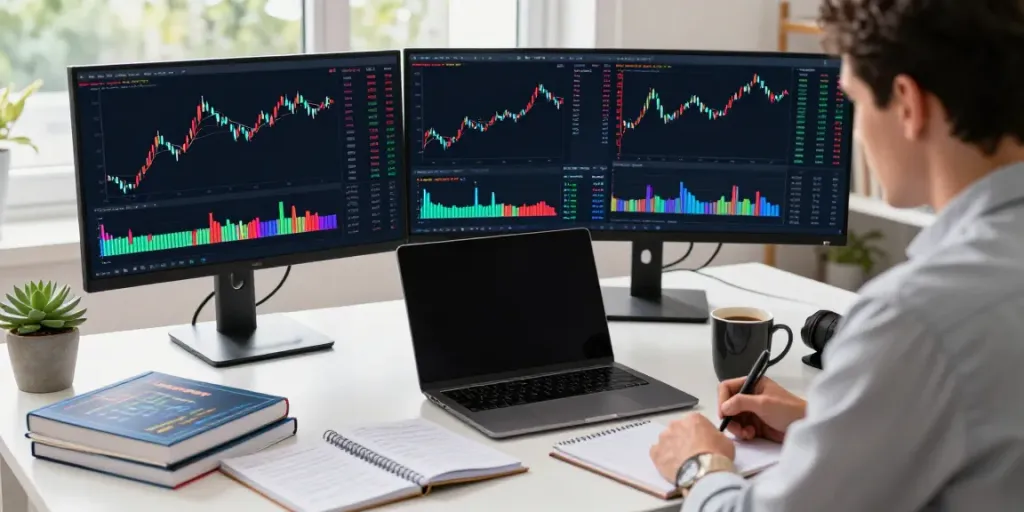
Understanding TradingView's Interface
Trading in today's complex market requires tools that can streamline the research and analysis process. TradingView stands out as a premier solution, allowing traders to easily navigate through various financial instruments including stocks, forex, cryptocurrencies, and derivatives. By unifying multiple features into a single platform, TradingView provides a seamless experience for traders of all levels.
Overview of TradingView Features
TradingView offers a plethora of features designed to enhance the trading experience. Key capabilities include:
- Real-time Market Data: Users have access to live, comprehensive market information across numerous asset classes.
- Advanced Charting Tools: The platform provides a variety of chart types and customizable indicators to analyze market trends effectively.
- Social Network Integration: TradingView allows users to share insights and strategies through its community features, making it easier to learn from others.
- Alerts and Notifications: Traders can set alerts based on specific price movements or indicator triggers, ensuring they never miss critical opportunities.
Customizing Your Dashboard
One of the most significant advantages of TradingView is the ability to customize your dashboard. Users can create layouts tailored to their individual trading styles—whether they prefer to focus on day trading, swing trading, or long-term investing. By dragging and dropping widgets, traders can choose what information is displayed for faster analysis.
Exploring Charting Tools
The charting tools available on TradingView allow traders to analyze price movements using various methods. Features like Fibonacci retracements, trend lines, and multiple time frames provide insights that are crucial for effective decision-making. This flexibility to visualize data in different ways is instrumental in developing successful trading strategies.
Establishing Your Trading Routine
Having a consistent trading routine can significantly enhance your profitability. A well-organized approach to market analysis not only saves time but also improves your ability to make informed decisions.
Setting Up Alerts for Market Events
Setting alerts for critical market events is one of the most powerful features offered by TradingView. Traders can customize alerts based on specific technical conditions or price thresholds, ensuring they are immediately notified when an opportunity arises. This function allows you to focus on other tasks without constantly monitoring the charts.
Using Pine Script for Automation
Pine Script is TradingView’s proprietary scripting language that allows traders to create custom indicators and strategies. This capability is significant for automating trading processes. By backtesting these scripts within the Strategy Tester, users can refine their strategies based on historical performance.
Developing Effective Trading Strategies
Incorporating a structured approach to strategy development is crucial. Start by identifying your goals and preferred trading style, and then utilize TradingView’s features to backtest different strategies. The integration of community insights allows traders to validate their methods against those of experienced users.
Advanced Charting Techniques
Once you feel comfortable with the basic layout and features, it's time to delve into advanced charting techniques that can give you an edge.
Analyzing Multiple Time Frames
Using multiple time frame analysis is a sophisticated technique that enhances the understanding of market behavior. Traders can analyze trends across daily, weekly, and hourly charts simultaneously, allowing for a comprehensive view of market dynamics.
Integrating Technical Indicators
Incorporating technical indicators such as moving averages, RSI, and MACD can significantly improve your market analysis. TradingView provides numerous built-in indicators and also allows users to create custom ones using Pine Script, ensuring that you can tailor your analysis to your trading style.
Using Heat Maps for Quick Insights
Heat maps available on TradingView provide a visual representation of asset performance, making it easy to identify trends at a glance. By utilizing this feature, traders can quickly assess which assets are gaining or losing traction in the market.
Risk Management and Strategy Testing
Effective risk management is paramount for success in trading. Utilizing TradingView’s tools can help you manage your exposure and improve your overall strategy.
Utilizing the Strategy Tester
The Strategy Tester on TradingView allows traders to evaluate their strategies using historical data. This feature is invaluable for understanding how a strategy would perform under various market conditions, which can prevent potential losses.
Interpreting Backtesting Results
Understanding the results obtained from backtesting is essential. Traders must analyze key metrics such as win rate, maximum drawdown, and profit factor to determine the viability of a trading strategy. By dissecting these metrics, traders can calibrate their strategies for improved performance.
Evaluating Risk-Reward Ratios
Assessing risk-reward ratios is critical when formulating trading strategies. A favorable risk-reward ratio means that the potential profit from a trade far outweighs the potential loss. Tools within TradingView can assist in identifying setups that meet this criterion, allowing traders to make more calculated decisions.
Community Insights and Resources
The community aspect of TradingView is one of its strongest features, providing traders access to a wealth of knowledge and support.
Leveraging TradingView’s Social Features
Participating in community discussions can yield valuable insights. The platform enables users to follow other traders, share ideas, and discuss strategies, which can help you learn new approaches to trading.
Participating in Community Discussions
Engaging in discussions within the TradingView community can enrich your trading experience. By sharing your thoughts and strategies, you may receive feedback that can help you refine your approach.
Accessing Educational Resources
TradingView offers a variety of educational resources, including tutorials, webinars, and articles. These materials can enhance your understanding of the platform and improve your trading skills.
What are the advantages of TradingView?
TradingView's unique blend of advanced charting tools, social networking aspects, and customizable features makes it an outstanding choice for traders at any level. Its ability to integrate multiple functions into one platform simplifies the research process and enhances decision-making.
Is TradingView suitable for beginners?
Yes, TradingView is highly suitable for beginners due to its user-friendly interface and comprehensive educational resources. New traders can quickly learn how to use the platform while leveraging features that help them grow their skills.
How can I connect with a broker on TradingView?
Connecting with brokers on TradingView is straightforward. The platform supports integrations with various brokers, allowing users to execute trades directly from the charts, thus streamlining the trading process.
What features differentiate TradingView from competitors?
TradingView stands out from competitors due to its robust charting capabilities, real-time data, and community features. The ability to customize dashboards and create tailored indicators sets it apart in a crowded market.
How often are TradingView charts updated?
TradingView provides real-time updates, ensuring that traders have access to the most current market data. This immediacy is critical for making timely trading decisions.